Best Camera Settings for Smooth Driving in Car Parking Multiplayer (2026)
Best Camera Settings for Smooth Driving in Car Parking Multiplayer
Choosing the Best Camera Settings for Smooth Driving in Car Parking Multiplayer can greatly improve your control, visibility, and overall performance. Many players focus on cars, speed, or upgrades, but camera settings actually play a huge role in how smoothly and accurately you drive. With the right setup, you can see the road clearly, take turns easily, and park without mistakes, even in tight spaces or challenging tracks.
Whether you are a beginner learning the basics or an experienced player trying to perfect your skills, using the Best Camera Settings for Smooth Driving will make gameplay more comfortable, precise, and enjoyable. Adjusting camera height, distance, and field of view can make a noticeable difference, giving you better control, smoother turns, and faster reactions. Proper camera settings help you focus on driving strategy, anticipate obstacles, and enjoy the full experience of Car Parking Multiplayer without unnecessary frustration.
Why Camera Settings Are Important
Camera view affects how quickly you react and how well you control your vehicle. Poor settings can make driving feel unstable even with a good car.
Good camera settings help you:
- See obstacles earlier
- Maintain lane control
- Take smooth turns
- Park accurately
- Drive safely at high speed
That’s why pro players always adjust the Best Camera Settings for Smooth Driving before playing seriously.
Best Camera View for Smooth Driving
Car Parking Multiplayer offers several camera modes, but not all are ideal for control.
Third-Person View
This is the best option for most players because it shows both the car and surroundings.
Advantages:
- Clear road visibility
- Easier turning and parking
- Better awareness of traffic
- Suitable for beginners and pros
Third-person view is considered the core of the Best Camera Settings for Smooth Driving.
First-Person (Driver) View
This view gives a realistic driving experience but reduces side visibility.
Best for:
- Realistic gameplay lovers
- Slow cruising
- Practice mode
It is not recommended for fast multiplayer races.
Recommended Camera Settings Values
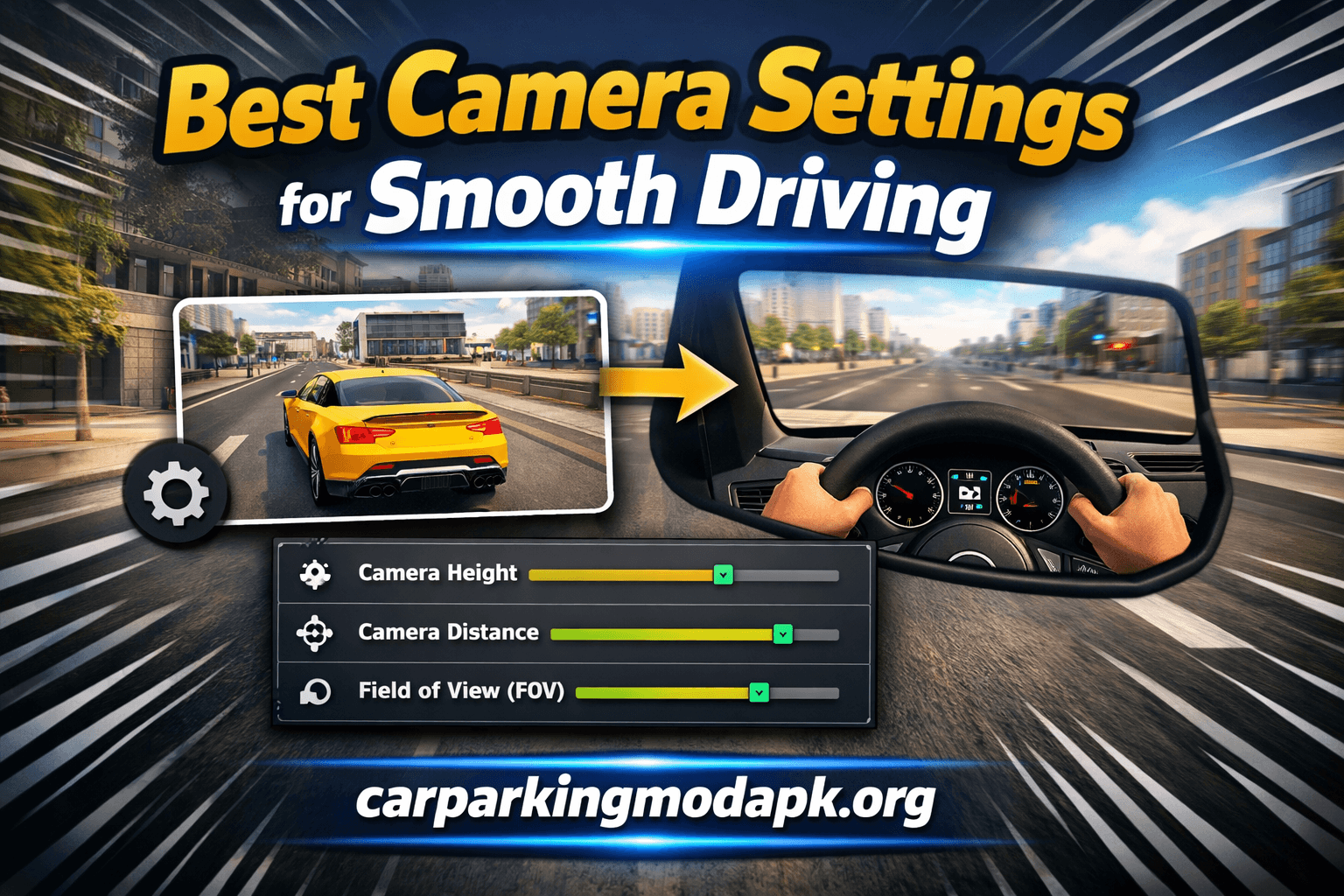
Adjust these sliders for smooth control:
Camera Height — Medium to High
Keeps the road visible without making the car look too small.
👉 Recommended: 60–75%
Camera Distance — Medium
Provides balance between precision and visibility.
👉 Recommended: 50–65%
Field of View (FOV) — Slightly Wide
Shows more surroundings without distortion.
👉 Recommended: 65–80%
These values together create the Best Camera Settings for Smooth Driving for most devices.
Tips for Smoother Driving
To get maximum benefit from your settings:
- Test settings in free mode first
- Avoid extremely high or low values
- Use stable steering controls
- Practice cornering at medium speed
- Adjust according to screen size
Combining skill with the Best Camera Settings for Smooth Driving will noticeably improve your gameplay.
Common Mistakes to Avoid
Many players use poor configurations that make driving harder.
Avoid these mistakes:
- Camera too far from the car
- Very low camera height
- Narrow field of view
- Changing settings constantly
- Copying others without testing
Always fine-tune the Best Camera Settings for Smooth Driving based on your comfort.
Frequently Asked Questions
What is the best camera view for beginners?
Third-person view is the easiest and safest option.
Is first-person view good for multiplayer?
It is immersive but not ideal for competitive racing.
Do camera settings affect speed?
No, but they improve control and reaction time.
Should I use maximum FOV?
Not recommended, as very wide FOV can distort vision.
Conclusion
Using the Best Camera Settings for Smooth Driving is essential if you want better control and safer gameplay in Car Parking Multiplayer. A third-person view with medium distance, higher camera height, and a slightly wide FOV works best for most players.
Take time to adjust the settings according to your device and play style. Once optimized, you will notice smoother turns, improved parking accuracy, and a more enjoyable driving experience.